Product strategy & design / Capability

UX & UI design.
Interfaces designed around real tasks, with every state, error and edge case resolved before build.
Talk through your idea
When to bring us in
Sound familiar?
- Our staff keep a notebook next to the software because the screens don’t show what they need.
- The designs look finished, but developers keep asking what happens when something goes wrong.
- Different parts of the product feel like they were made by different teams.
The cost of leaving it
Staff carry on with the notebook beside the screen. Developers guess at error states one ticket at a time, and every guess becomes another screen that behaves slightly differently.
Why us
What we bring to ux & ui design.
Designers who stay for the build
Design and engineering sit in one team, so the people who drew a screen are still there when it is built and tested.
Decisions in working prototypes
We settle the important journeys in prototypes people can click through, before anyone writes code that depends on them.
A view for every role
SoulCare gives coordinators, carers and families each the screens their job needs. We design client products the same way.
What the work includes
Design every state, not just the happy path.
We start from the tasks people repeat every day and the information they need to finish them. Layouts, wording and interactions are worked through for each role and device. Empty, loading, error and permission states are designed alongside the main screens, so engineering isn’t left guessing.
Task flows and information design
Decide what each role sees, in what order, and what they can do from there.
Interface design
Responsive layouts for web and mobile, with typography, spacing and hierarchy that hold up with real data.
States and edge cases
Empty, loading, error, offline and permission states designed for every key screen.
Accessibility
Contrast, focus order, target sizes and labels considered as part of the design, not after it.
Use cases
Projects we take on.
Staff scheduling screens
A dense planning view where staff assign people to slots, spot clashes and fix them without opening another page.
A customer self-service area
Account, booking or billing pages that let customers sort routine questions without phoning your team.
Reworking one heavy workflow
A screen people avoid, redesigned around the order they actually do the task and kept within the product’s existing patterns.
What you get
Outputs you can review.
- Task flows for each user role
- Annotated screen designs for web and mobile
- State and edge-case specifications
- Interaction notes for engineering
- Accessibility notes for key screens
Technologies we use for this
Where it matters
- Health & social care Carers record visits on a phone between homes, so we test task flows for speed and one-handed use with the carers themselves.
- Medical education Educators change a scenario while learners watch, so we design the control screen and the learner’s view together and test them as a pair.
- Property & field services A repair moves between customer, inspector, worker and office; we map each hand-off before designing the screens for any one role.
- Fintech & professional services We design onboarding and approval screens with the later review in mind: what a compliance officer or auditor will need to see, and in what order.
Where AI helps
Useful, on a short leash.
Realistic content for states
Draft sample data and error messages for every screen state, so layouts are tested against long names and awkward cases.
AI workflow automation ↗First pass on interface copy
Suggest labels and help text in your house style, for a designer to edit and test with users.
AI workflow automation ↗
Where it stops: Generated layouts are no substitute for watching people use the design. Every screen still gets tested with real users.
What’s changing
Shifts to plan for.
October 2025
WCAG 2.2 becomes an ISO standard
WCAG 2.2 was approved as ISO/IEC 40500:2025, which makes it easier for governments and buyers to require it by name.
June 2025
European Accessibility Act applies
Many consumer products and services sold in the EU, including online shops, banking services and e-books, must now meet accessibility requirements. Microenterprises providing services are exempt.
October 2024
UK public sector checks against WCAG 2.2
The government began monitoring public sector websites and apps against WCAG 2.2 AA, which adds criteria on focus, dragging and target size.
Process
How the work runs.
Watch the task first
We observe the task as it runs today and note where people pause, switch tools or write things down.
Settle flows before screens
Each role’s route through the task is agreed as a flow, so layout debates happen once the order is fixed.
Design with real data
Screens get realistic names, long values and empty fields, which exposes layouts that only work with tidy samples.
Annotate for the build
States, rules and interactions are written beside each screen, in the format your developers already use.
Cost
What shapes the estimate.
Roles and devices
Every extra role or screen size multiplies the layouts and states to design.
Data density
Tables, schedules and dashboards with many fields take longer to resolve than simple forms.
Starting components
An existing component library shortens the work, and designing components from nothing adds to it.
Ways to work together
A first, fixed stage
Discovery, a prototype or a technical review with agreed outputs, so the next decision is made with something concrete in hand.
Delivery in phases
The build split into releases, each with a scope you review and approve before it starts.
Ongoing engineering
An agreed scope for support and improvements after launch, with response expectations written down.
Relevant product work
See it in SoulCare.
SoulCare gives coordinators a web dashboard, carers a mobile app and families their own view, each designed around the same live visit record.
Explore SoulCare ↗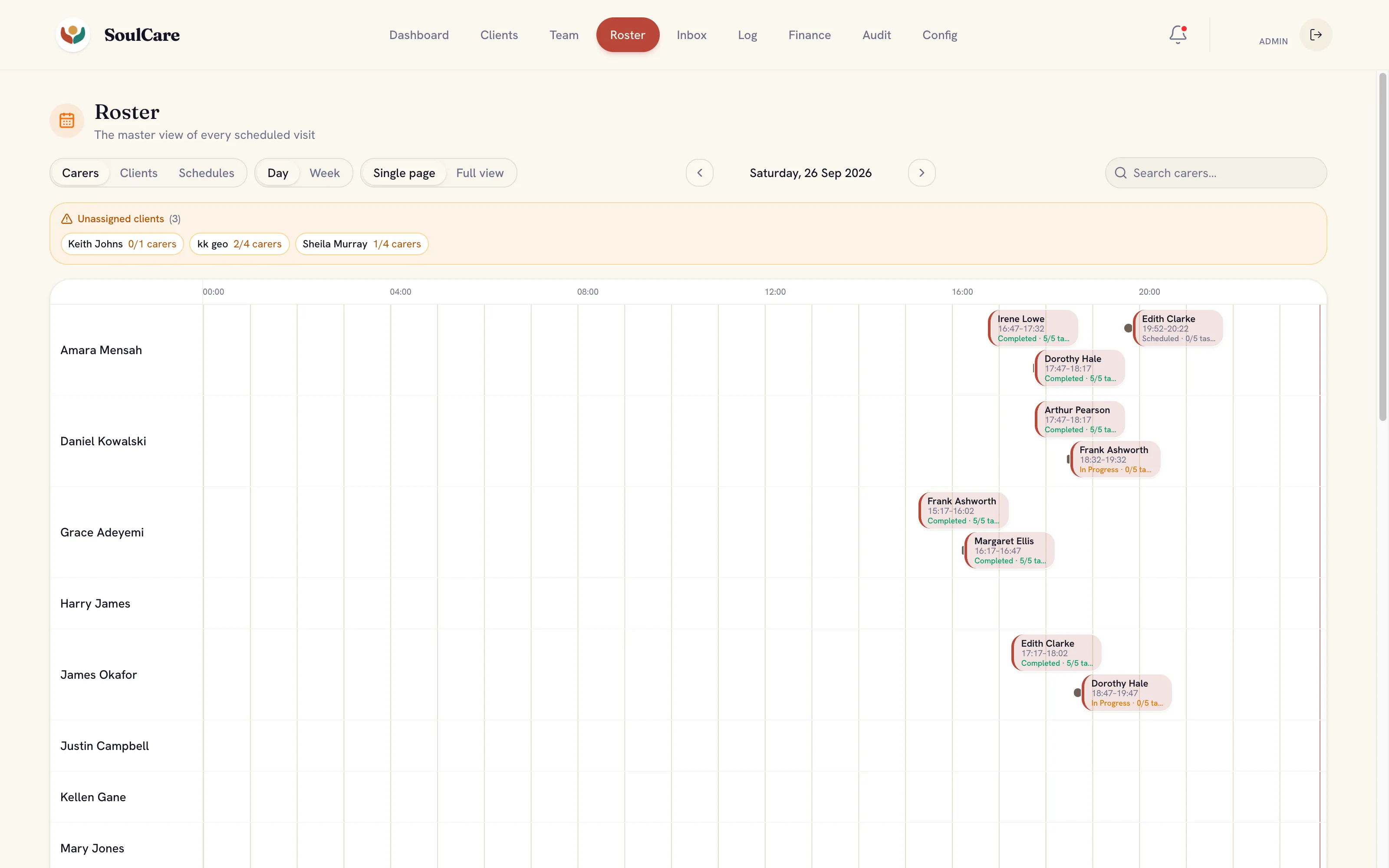
Common questions
Before you get in touch.
Can you redesign part of an existing product?
Yes. We can focus on one area, such as a key workflow or a set of screens, and work within the patterns that already exist or note where they need to change.
What do developers receive at handover?
Annotated designs, the states and edge cases for each screen and notes on interactions. We agree the format with your team so it fits how they build.
What affects the design effort?
The number of roles and devices, how complex the tasks are, the amount of data on screen and whether a component library already exists.