Terraform.
Infrastructure written as code, reviewed like code and applied the same way every time.
Talk to us about Terraform
Key features
What Terraform does well.
Providers for each platform
Providers let one language manage AWS, Azure, Google Cloud and SaaS tools such as DNS and monitoring.
Plan before apply
A plan lists every resource Terraform will create, change or destroy before anything is applied.
Reusable modules
Modules package repeated setups, such as a network or a service, so each environment reuses the same code.
Licence and OpenTofu
Terraform has used the Business Source License since 2023; OpenTofu is the open-source fork under the Linux Foundation.
What we build with it

Know exactly how production was built.
Terraform describes cloud infrastructure in files that live in version control. Changes are planned and reviewed before they apply, so environments stay consistent and the setup is documented by the code itself.
Repeatable environments
Development, staging and production built from the same definitions with different settings.
Reviewed changes
Infrastructure changes proposed as pull requests, with a plan showing what will change.
Bringing existing setups under control
Importing resources created by hand so they can be managed in code from then on.
When it’s the right choice
Terraform is the right choice for almost any product with more than one environment, or where more than one person changes the infrastructure.
When we’d pick something else
For a single small service on a managed platform, the platform’s own configuration may be enough. Some teams also prefer their cloud provider’s native tooling, and we can work with that.
Our Terraform services
How we can help.
Codebase structure
We organise modules, environments and remote state so the code stays readable as the setup grows.
Pipeline integration
We run plans on pull requests and applies from CI, so every change is reviewed and recorded.
Existing code review
We review a Terraform codebase for drift, security settings and module structure.
OpenTofu assessment
If licensing matters to you, we check whether your code runs on OpenTofu and what a switch would involve.
How we work
Starting a Terraform project.
Review what exists
Code, data, hosting and the people who maintain it, before any Terraform decision is made.
Agree the approach
A written scope: what changes, what stays, the risks and how we will know it worked.
Build in reviewable slices
Working increments your team can test, rather than one large delivery at the end.
Hand over or stay on
Documentation and access for your team, or a defined support scope if you want us to keep going.
In our own products
SoulCare.
SoulCare’s infrastructure on AWS is defined in Terraform, so its environments are versioned and reviewed like the application code.
Read the case study ↗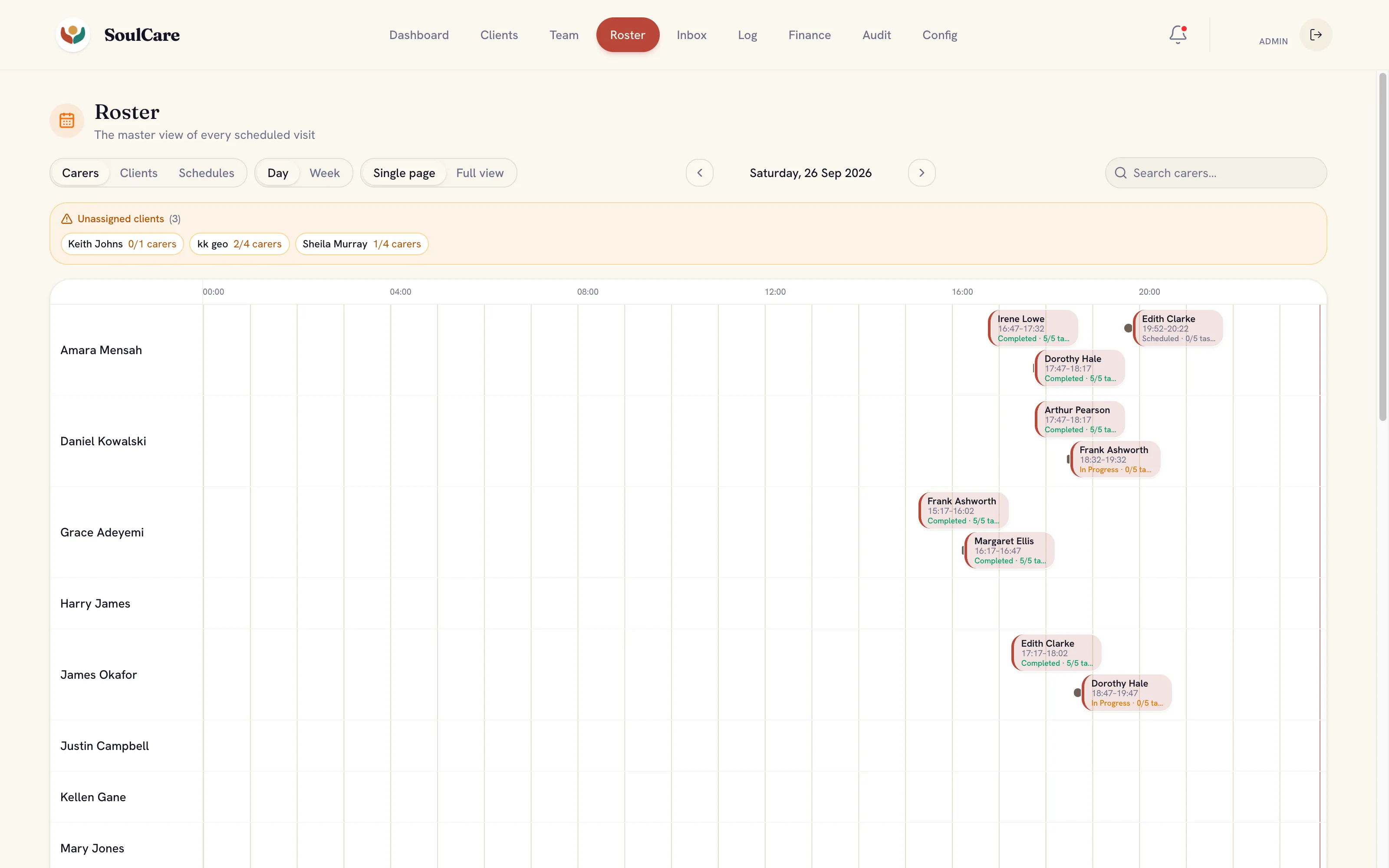
Where AI fits
AI in cloud & infrastructure work.
Models inside your cloud account
Amazon Bedrock, Azure and Google’s Gemini Enterprise Agent Platform give model access under your own account’s access, logging and billing controls.
AI workflow automation ↗Region and residency checks
Model availability differs by region, so we check where prompts and documents will be processed before choosing a service.
Cloud architecture ↗
Where it stops: Turning on a model service does not make a use compliant. Data protection and sector rules still apply to every prompt and output.
Where it fits
Related expertise.
- Cloud architecture Choose and structure cloud services around your product’s data, access and operating needs.
- Infrastructure as code Define environments in version-controlled code, so changes are reviewed and drift is easy to spot.
- CI/CD pipelines Automated builds, tests and deployments, so every release follows the same checked path.
Common questions
Terraform questions.
Can you bring an existing hand-built setup into Terraform?
Yes. We import existing resources in stages, check that the plan shows no unintended changes, and then manage them through code.
Where is Terraform state kept?
In a remote backend with locking and restricted access, such as cloud storage in your own account, so it is shared safely and never kept on one laptop.
Further reading
- Terraform from day one: infrastructure as code that lasts How to start with Terraform in the first environment, so infrastructure stays reviewable and a new team can take it over.
- A database for every pull request: preview environments that work How to give each pull request its own database branch, with safe data, tested migrations and automatic clean-up.


- MySQL 8.0 has reached end of life: planning the move to 8.4 What MySQL 8.0’s end of life means, and how to plan, test and roll back an upgrade to MySQL 8.4 LTS.