
React.
Interfaces for dashboards, staff tools and customer portals that people use for hours at a time.
Talk to us about React
Key features
What React does well.
Components and hooks
Interfaces are built from small functions that own their markup and state, so one piece can change without touching the rest.
React Server Components
Components can run on the server and send finished output, keeping data fetching and large libraries out of the browser bundle.
React Compiler
A stable build-time compiler adds memoisation automatically, so most code no longer needs hand-written useMemo and useCallback.
Shared with React Native
The same component model, hooks and much of the logic carry over to iOS and Android apps written with React Native.
What we build with it

Screens that stay clear as the product grows.
We use React for web interfaces with a lot of state: rosters, forms, tables and live updates. Its component model lets us build a screen once and reuse it across roles, and the size of its ecosystem means your team can hire for it and maintain it after handover.
Operational dashboards
Planning, scheduling and review screens that show live data and let staff act on it.
Customer portals
Account areas where customers follow progress, upload documents and raise requests.
Shared component libraries
Buttons, forms and tables built once and reused across every screen and product.
When it’s the right choice
React suits products where people spend long sessions in the interface and the screens share data. It is a sensible default when you expect to hire developers to maintain the work.
When we’d pick something else
For a mostly static marketing site, a lighter approach with less JavaScript is often simpler to run. If pages need to be indexed by search engines, we would usually pair React with Next.js.
Our React services
How we can help.
New React applications
Dashboards, portals and staff tools, designed and built from a shared component library.
Codebase reviews
A written review of structure, state management, rendering cost and dependencies, with a ranked list of what to fix.
Version upgrades
Moving older apps to current React, including class components, outdated routers and libraries that have stopped being maintained.
Ongoing development
New features, accessibility fixes and dependency updates for a React product your team already runs.
How we work
Starting a React project.
Review what exists
Code, data, hosting and the people who maintain it, before any React decision is made.
Agree the approach
A written scope: what changes, what stays, the risks and how we will know it worked.
Build in reviewable slices
Working increments your team can test, rather than one large delivery at the end.
Hand over or stay on
Documentation and access for your team, or a defined support scope if you want us to keep going.
In our own products
SoulCare.
SoulCare’s web apps are React single-page apps. Coordinators use them to plan and roster visits against the same live record carers and families see.
Read the case study ↗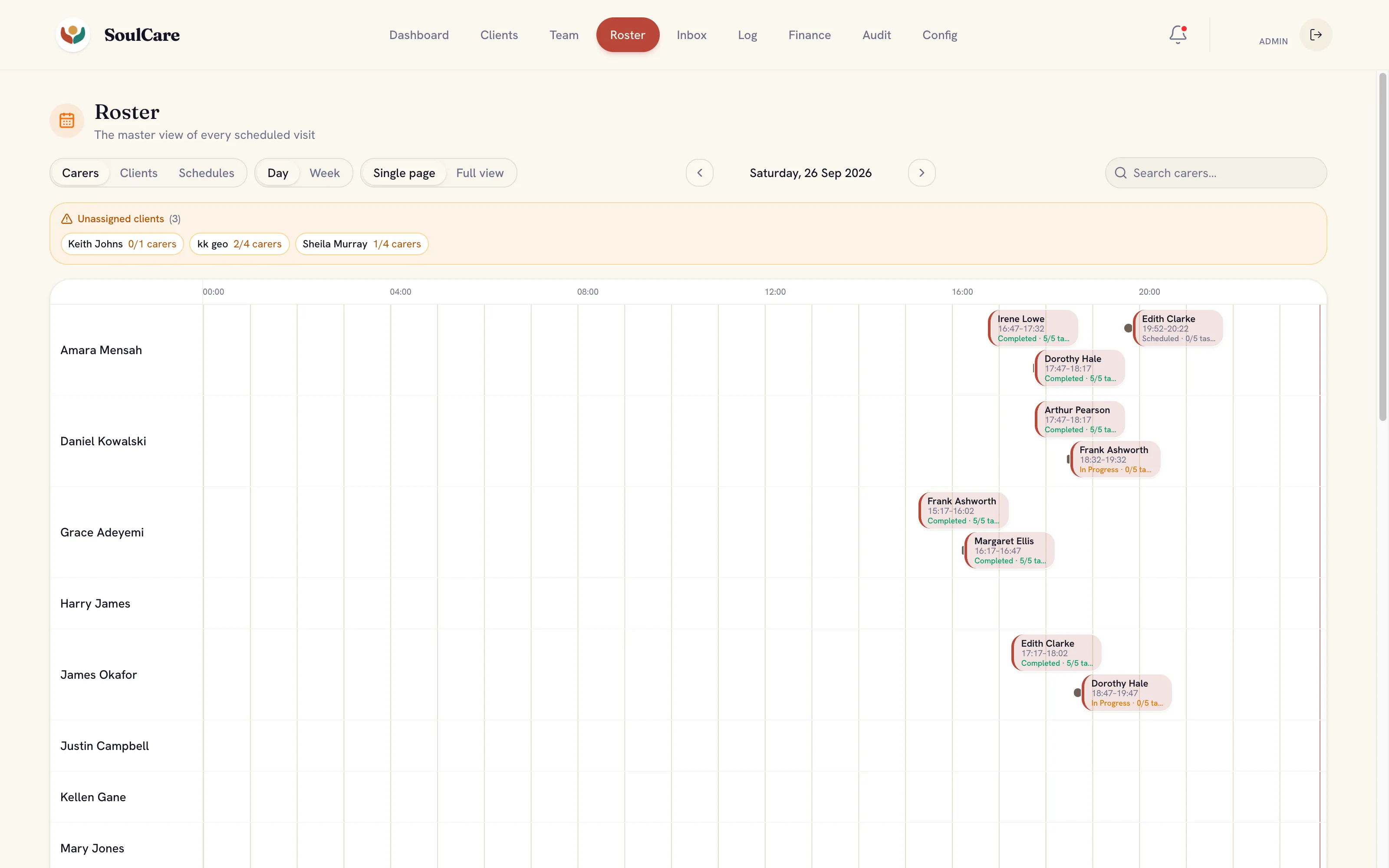
Industries
Where we use it.
- Health & social care Software for care providers, where visits, medication and family updates rely on one accurate record.
- Medical education Simulators and teaching tools that let educators run realistic practice on the devices they already use.
- Property & field services Software for maintenance and field teams, from the first request through inspection, dispatch and payment.
- Fintech & professional services Client portals and internal tools for firms where onboarding, documents, approvals and audit trails matter.
Where AI fits
AI in web work.
Answers inside your app
Add a search or question box that answers from your own documents, streams the reply into the page and shows its sources.
Knowledge assistants ↗Review screens for AI output
Interfaces where staff check, correct or reject what a model drafted before it is saved.
AI workflow automation ↗
Where it stops: The browser should never hold model keys or decide what a user may see. That stays on the server.
What’s changing
Shifts to plan for.
Dates that affect React projects, checked against the official sources.
October 2025
Next.js 16 released
Caching became opt-in through Cache Components, Turbopack became the default bundler, and synchronous access to route params was removed, which affects upgrades.

Where it fits
Related expertise.
- UX & UI design Interfaces designed around real tasks, with every state, error and edge case resolved before build.
- Design systems Shared components, tokens and rules that keep screens consistent as more people work on the product.
- Web application development Browser-based tools for customers and staff, built for the data, roles and permissions behind them.
Common questions
React questions.
Can you take over an existing React codebase?
Yes. We start by reviewing its structure, dependencies, state management and build setup, then agree what to change first. We work with the code you have rather than rewriting by default.
Can you upgrade an older React app?
Usually, in stages. We check which dependencies block the upgrade, move the app forward in reviewable steps and test the key user flows after each one.
Further reading
- One codebase, three platforms: iOS, Android and web with Expo Lessons on sharing code, drawing with Skia and handling phone, tablet and desktop layouts from one Expo codebase.


- Awaab’s Law and the software landlords use for repairs What Awaab’s Law asks of the systems social landlords use to log, investigate and repair hazards, and the records they need to keep.
- Firebase, Supabase or a custom back end: how to choose How to choose between Firebase, Supabase and a custom back end by data shape, access rules, cost, exit paths and skills.